|
1300
|
Chief Architect Overview
|
48:03 |
|
1563
|
Features Introduced in Chief Architect X4
|
12:02 |
|
1301
|
Chief Architect Interiors Overview
|
34:25 |
|
002
|
Toolbars and Toolbar Buttons
|
01:38 |
|
003
|
Preferences and Defaults
|
03:33 |
|
004
|
Understanding Layers
|
01:33 |
|
005
|
Walls
|
01:58 |
|
006
|
Rooms
|
01:57 |
|
007
|
Floors
|
00:58 |
|
008
|
Basements and Foundations
|
01:01 |
|
009
|
Navigating in 2D
|
01:49 |
|
010
|
Automatic Exterior Dimensions
|
00:34 |
|
011
|
Dimension Defaults
|
02:40 |
|
012
|
Dimension Tools
|
02:32 |
|
013
|
Camera Views
|
01:25 |
|
014
|
Overviews
|
01:01 |
|
015
|
Glass House Views
|
00:52 |
|
016
|
Cross Section/Elevation Views
|
00:59 |
|
017
|
Tiling 2D and 3D Views
|
00:38 |
|
018
|
Navigating in 3D
|
01:47 |
|
019
|
Virtual Walkthroughs
|
00:53 |
|
020
|
Creating Photo-Realistic Renderings
|
01:41 |
|
021
|
Saving and Restoring Camera Views
|
00:47 |
|
022
|
Windows and Doors
|
01:23 |
|
023
|
Stairs
|
02:25 |
|
024
|
Automatically Generating Roofs
|
02:42 |
|
025
|
Drawing Roofs Manually
|
02:28 |
|
026
|
Auto Floating Dormers
|
01:22 |
|
027
|
Customizing Dormers
|
01:20 |
|
028
|
Vaulted and Custom Ceilings
|
01:10 |
|
029
|
Automatic and Manual Framing
|
03:09 |
|
030
|
Cost Estimating
|
00:57 |
|
031
|
Cabinets
|
01:41 |
|
032
|
Custom Cabinets
|
02:01 |
|
033
|
Cabinet Groups and Kitchen Islands
|
01:57 |
|
034
|
Special Shaped Cabinets
|
01:03 |
|
035
|
Soffits
|
00:37 |
|
036
|
Applying Materials, Colors and Textures
|
01:10 |
|
037
|
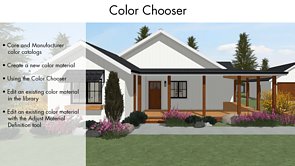
Color Chooser
|
00:39 |
|
038
|
Creating Materials and Colors
|
00:55 |
|
039
|
Finding and Placing Library Objects
|
01:20 |
|
040
|
Wall Coverings
|
01:16 |
|
041
|
Custom Flooring
|
00:42 |
|
042
|
Furniture and Appliances
|
01:45 |
|
043
|
Electrical Objects
|
01:47 |
|
044
|
CAD Tools
|
01:29 |
|
045
|
Understanding Snaps
|
02:30 |
|
046
|
Adding Detail to Cross Section Views
|
01:07 |
|
047
|
Text and Callouts
|
01:16 |
|
048
|
Creating Layouts
|
03:34 |
|
049
|
Creating a Terrain Perimeter
|
00:51 |
|
050
|
Adding Elevation Information for Sloped Lots
|
01:04 |
|
051
|
Creating a Walkout Basement
|
01:30 |
|
052
|
Terrain Features
|
01:22 |
|
053
|
Plant Chooser
|
01:37 |
|
054
|
Patios
|
01:18 |
|
055
|
Decks
|
01:09 |
|
201
|
Overview of What's New in Version X1
|
10:04 |
|
202
|
Menus and Toolbars
|
07:49 |
|
203
|
Building Toolbars to Place Library Objects
|
05:12 |
|
204
|
Editing - Setting the Primary Mouse Movement
|
06:31 |
|
205
|
Editing - Choosing Edit Behavior Options
|
08:16 |
|
206
|
Editing - Alternate Mode Edit Behaviors
|
05:14 |
|
207
|
Editing - New Edit Handles
|
09:16 |
|
208
|
Editing - Type-in Editing
|
03:58 |
|
209
|
Editing - Sticky Mode and Other Edit Sub Modes
|
07:15 |
|
210
|
Editing - Discontinued Edit Commands
|
09:31 |
|
211
|
Editing - Cut, Copy and Paste Edits
|
12:38 |
|
212
|
Editing - 3D Editing
|
15:05 |
|
213
|
Creating New 3D Objects by Merging and Subtracting 3D Solids
|
10:40 |
|
214
|
Cabinets - Improvements for Working with Cabinets
|
09:06 |
|
215
|
Cabinets - Updatable Hybrid Cabinet Symbols
|
20:47 |
|
216
|
CAD - Editing Tools
|
15:19 |
|
217
|
CAD - Snaps
|
07:15 |
|
218
|
CAD - Line Styles and Line Weights
|
13:52 |
|
219
|
CAD - Plan Footprints
|
04:49 |
|
220
|
CAD - Details Library and Details Template Plan
|
04:57 |
|
221
|
Camera Views
|
08:54 |
|
222
|
Dimensions
|
06:11 |
|
223
|
Doors and Windows
|
10:32 |
|
224
|
Framing Decks - New Planking and Framing Options
|
06:24 |
|
225
|
Framing Decks - The New Polygon Deck Tool
|
04:55 |
|
226
|
Framing Walls, Floors, Ceilings and Roofs
|
08:20 |
|
227
|
Layers - Layers and Layer Sets
|
14:53 |
|
228
|
Layers - AIA Naming Convention Layer Set
|
00:53 |
|
229
|
Layers - Layers and the Layout File
|
05:19 |
|
230
|
Layouts
|
07:14 |
|
231
|
Library and Project Browser
|
04:06 |
|
232
|
Materials
|
12:13 |
|
233
|
Mechanical, Electrical and Plumbing
|
05:10 |
|
234
|
Images, Pictures and Movies
|
09:15 |
|
235
|
Roofs - Automatic Overhangs for Different Pitch Roof Planes
|
15:53 |
|
236
|
Roofs - Dormers
|
03:15 |
|
237
|
Roofs - Draw and Edit Roof Planes
|
04:55 |
|
238
|
Rooms - Decks, Floors and Foundations
|
06:03 |
|
239
|
Stairs
|
11:34 |
|
240
|
Importing and Exporting 3D Symbols
|
17:54 |
|
241
|
Importing and Exporting 2D DWG or DXF Files
|
02:18 |
|
242
|
Terrain and Landscaping
|
12:04 |
|
243
|
Text, Callouts and Markers
|
09:21 |
|
244
|
Trim and Moldings
|
06:45 |
|
245
|
Walls - Double Walls
|
10:41 |
|
246
|
Walls - Wall Editing
|
21:57 |
|
301
|
The Basic Edit Types
|
08:55 |
|
302
|
Setting Array Copy Intervals, Angles and Quantities
|
05:18 |
|
303
|
Polylines - Breaking Polylines
|
04:41 |
|
304
|
Polylines - Merging Polylines that Overlap
|
01:48 |
|
305
|
Polylines - Subtracting Polylines that Overlap
|
04:57 |
|
306
|
Using the Trim and Extend Commands
|
05:20 |
|
307
|
Basic Ceiling Types and Their Materials
|
10:37 |
|
308
|
Drawing Cathedral Ceilings
|
03:08 |
|
309
|
Drawing Vaulted and Curved Ceilings
|
04:55 |
|
310
|
Creating Tray Ceiling Effects by Raising a Ceiling
|
03:05 |
|
311
|
Drawing a Suspended Ceiling with Grid and Tile
|
11:22 |
|
312
|
Creating a Coffered Ceiling Element with Recessed Backlit Panel
|
07:26 |
|
313
|
Creating a Coffered Ceiling with Multiple Recessed Panels
|
05:47 |
|
314
|
Cutting a Hole in a Floor Platform
|
02:29 |
|
315
|
Setting Platform Depths - by Floor or by Area
|
04:27 |
|
316
|
Designating Platform or Balloon Framing Conditions
|
07:39 |
|
317
|
Building a Floor that Ledgers inside the Foundation Walls
|
10:28 |
|
318
|
Dropping a Floor and Raising the Ceiling of a Room
|
16:38 |
|
319
|
Changing Multiple Joisted Floors to Slabs
|
06:36 |
|
320
|
Foundations with Exposed Brick and Brick Ledge
|
08:54 |
|
321
|
Crawlspace Foundation with Framed Interior Bearing Wall
|
06:38 |
|
322
|
Split-level Foundations
|
09:57 |
|
323
|
Split-entry Foundations
|
13:42 |
|
324
|
General Framing Strategy
|
06:44 |
|
325
|
Creating Stacked Plates on Foundation Walls
|
06:26 |
|
326
|
Specifying Where Joists are Cut
|
06:03 |
|
327
|
Mixing Joist Depths and Directions on the Same Floor
|
08:19 |
|
328
|
Drawing with the Beam and Post Tools
|
11:18 |
|
329
|
Drawing Exposed, Sloped and Decorative Beams
|
19:42 |
|
330
|
Drawing Columns
|
19:48 |
|
331
|
Building the Wall Framing
|
08:47 |
|
332
|
Editing the Wall Framing Detail
|
06:50 |
|
333
|
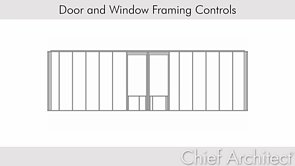
Controlling Unwanted Wall Framing
|
03:08 |
|
334
|
Framing a Plan's Walls with Variable Stud Spacing
|
05:37 |
|
335
|
Using a Framing Reference
|
08:11 |
|
336
|
Adding Blocking and Bracing
|
05:36 |
|
337
|
Mitering a Framing Joint with the Fillet Tool
|
00:45 |
|
338
|
Displaying Framing as CAD Lines
|
01:50 |
|
339
|
Framing with Floor and Ceiling Trusses
|
07:44 |
|
340
|
Balloon Framing Walls
|
07:37 |
|
341
|
Deck Framing Techniques
|
22:49 |
|
342
|
Placing Deck Posts and Footings on a Module over a Terrain
|
05:43 |
|
343
|
Framing a Roof
|
08:56 |
|
344
|
What is a Truss?
|
01:45 |
|
345
|
Setting Truss Defaults
|
02:17 |
|
346
|
Framing a Truss Roof System
|
04:15 |
|
347
|
Framing a Truss Roof System without Lookouts
|
02:33 |
|
348
|
Framing a Cantilevered Truss Roof System
|
04:16 |
|
349
|
Framing with Energy Heel Trusses
|
03:45 |
|
350
|
Using a Truss Base to Truss Intersecting Roofs
|
06:23 |
|
351
|
Hip Trusses - Building a Step-down Hip
|
04:23 |
|
352
|
Hip Trusses - Building a Sub-girder Hip
|
04:25 |
|
353
|
Framing with Scissor Trusses
|
07:58 |
|
354
|
Framing with Attic Trusses
|
06:09 |
|
355
|
Editing and Locking a Truss
|
02:47 |
|
356
|
Locking a Truss to Frame a Skylight Well
|
04:56 |
|
357
|
Viewing Truss Labels and Schedule
|
02:58 |
|
358
|
Remodeling Overview
|
09:23 |
|
359
|
Getting As-builts - Importing 2D Files and Converting Lines to 3D Walls
|
18:27 |
|
360
|
Getting As-builts - Importing 2D Files to Lock and Trace
|
04:22 |
|
361
|
Getting As-builts - Tracing a Picture of Existing Prints
|
05:19 |
|
362
|
Showing an As-built's Mask on a Remodel Plan
|
08:55 |
|
363
|
Coordinating Layers to Show Existing, Demo and New
|
06:42 |
|
364
|
Coordinating Wall Types to Show Existing, Demo and New
|
13:14 |
|
365
|
Coordinating Layers and Room Definition to Show Demolition Walls
|
18:30 |
|
366
|
Developing 3D Views of the Remodel Components
|
10:25 |
|
367
|
Distinguishing New Framing and Calculating Its Materials
|
13:32 |
|
368
|
Creating a Dynamic Wall Legend
|
04:51 |
|
369
|
Creating Matching Textures for Deck Planking, Rim, Rail and Stairs
|
09:18 |
|
370
|
Spanning 2 Inline Walls with a Window Block in 2D
|
11:38 |
|
371
|
Spanning 2 Inline Walls with a Window Symbol in 3D
|
17:40 |
|
372
|
Using Materials List Polylines for Materials Calculations
|
20:21 |
|
373
|
Resizing Stair Sections
|
02:44 |
|
374
|
Merging Stair Sections to Form Subsections
|
06:11 |
|
375
|
Treads - Locking Tread Width
|
02:37 |
|
376
|
Treads - Ignoring Subsection Boundaries
|
04:35 |
|
377
|
Treads - Retaining the Number of Treads
|
02:09 |
|
378
|
Showing and Hiding a Directional Stair Arrow
|
01:24 |
|
379
|
Customizing Stair Landing Shapes
|
08:24 |
|
380
|
Locking the Position of a Stair Landing
|
04:39 |
|
381
|
Displaying Newels and Balusters in Plan
|
04:32 |
|
382
|
Drawing Flared Stairs with Curved Tread
|
04:22 |
|
383
|
Adding Starter Tread
|
01:37 |
|
384
|
Drawing Concrete Stairs with Sloped Risers
|
06:54 |
|
385
|
Drawing a Single Steel Stringer Stair with Concrete Tread
|
02:14 |
|
386
|
Drawing an Exterior Stair from Grade to 2nd Floor
|
09:34 |
|
387
|
Creating a Wheelchair Ramp
|
17:57 |
|
388
|
Drawing Curved Stairs
|
04:36 |
|
389
|
Configuring and Placing Curved Stairs
|
04:41 |
|
390
|
Aligning Curved Stairs to Fit a Curved Wall
|
01:51 |
|
391
|
Aligning a Curved Wall to Fit Curved Stairs
|
05:45 |
|
392
|
Aligning Curved Stairs Across Floors
|
03:43 |
|
393
|
Building U-shaped Winder Stairs
|
04:43 |
|
394
|
Controlling Walls beneath Winder Stairs
|
03:24 |
|
395
|
Enclosing Only Part of a Staircase between Two Walls
|
09:55 |
|
396
|
Trim and Molding - Overview
|
16:09 |
|
397
|
Drawing and Combining Molding Profiles
|
11:18 |
|
398
|
Expanding and Filleting a Room Molding Polyline
|
04:40 |
|
399
|
Creating a Brick Half-wall and Cap with a Room Molding Polyline
|
15:45 |
|
400
|
Using the 3D Molding Polyline to Create Exposed Log Rafters
|
09:55 |
|
401
|
Creating a Bell-shaped Ceiling Skylight with a Custom Molding Profile
|
13:16 |
|
703
|
Roof Design Strategies
|
01:41 |
|
706
|
Roof Baseline Polylines
|
05:59 |
|
708
|
Frieze Molding
|
03:48 |
|
710
|
Generating a Roof Over an L-Shaped House with Gable Ends
|
02:13 |
|
714
|
Using the Extend Slope Downward Option
|
01:46 |
|
716
|
Setting the Minimum Alcove
|
01:17 |
|
719
|
One and a Half Story Roofs
|
03:01 |
|
724
|
Joining Roof Planes
|
06:53 |
|
725
|
Restrictions of the Join Roof Planes Tool
|
02:17 |
|
726
|
Manually Roofing an L-Shaped House with Gable Ends
|
03:29 |
|
728
|
Locating Roof Plane Intersections
|
04:34 |
|
733
|
Sloping Roof Plane Baselines
|
02:56 |
|
736
|
Roof Types for Automatic Dormers
|
03:23 |
|
737
|
The Auto Dormer Tool
|
07:17 |
|
744
|
Curving Roof Planes
|
03:57 |
|
746
|
Drawing a Barrel Roof
|
01:20 |
|
747
|
Drawing a Domed Roof on a Round Building
|
03:24 |
|
748
|
Curved Roofs and Baselines
|
02:22 |
|
820
|
Creating a Closet Storage System
|
02:42 |
|
821
|
Applying a Backsplash
|
03:16 |
|
822
|
Adding a Built-in Appliance to a Cabinet
|
01:09 |
|
823
|
Attaching a Cabinet to a Curved Wall
|
01:55 |
|
824
|
Creating a Recessed Corner Sink
|
03:19 |
|
825
|
Creating Wainscot
|
02:38 |
|
827
|
Applying a Decorative End Panel
|
05:37 |
|
828
|
Applying a Decorative Arch to a Hutch
|
05:08 |
|
829
|
Drawing a Walk-in Shower - Part I
|
09:21 |
|
901
|
Creating, Saving, and Opening 3D Views
|
05:47 |
|
902
|
Editing the Camera in 3D
|
05:37 |
|
903
|
Moving the Camera in 3D
|
09:00 |
|
904
|
Controlling What Displays in 3D
|
03:05 |
|
906
|
Placing and Editing Objects in 3D
|
02:33 |
|
908
|
Working with Materials and Surfaces in 3D
|
03:42 |
|
909
|
Glass House Views
|
01:33 |
|
914
|
Creating a Raytrace View
|
08:31 |
|
915
|
Preparing Materials for Raytracing
|
03:26 |
|
916
|
Refining Raytrace Settings, Materials, and Lighting
|
19:55 |
|
917
|
The Different Types of Light Sources
|
06:30 |
|
918
|
Using the Parallel Light Type
|
02:27 |
|
919
|
Using the Point Light Type
|
02:28 |
|
920
|
Using the Spot Light Type
|
02:27 |
|
922
|
Editing Light Properties
|
05:28 |
|
923
|
Reflecting a Moon On Water
|
03:27 |
|
924
|
Controlling Sun Angles and Shadows
|
02:58 |
|
1001
|
Features Introduced in Chief Architect X2
|
10:10 |
|
1002
|
Edit - Menus, Toolbars and Hotkeys
|
04:28 |
|
1003
|
Edit - Editing and Placing Objects
|
07:42 |
|
1004
|
CAD - Using the Line Style Editor
|
04:29 |
|
1005
|
CAD - Arraying Objects with Distributed Objects Tools
|
05:38 |
|
1006
|
CAD - Filleting with True Arcs and Chamfering Precisely
|
02:46 |
|
1007
|
CAD - Drawing Revision Clouds
|
04:32 |
|
1008
|
CAD - Using the Nudge Tool
|
01:03 |
|
1009
|
New Cabinet Display Features in X2
|
03:50 |
|
1010
|
Automaticaly Generating Custom Countertops
|
02:38 |
|
1011
|
Automatic and Manual Cabinet Fillers
|
05:06 |
|
1012
|
Working with Cabinet Side and Back Panels
|
10:08 |
|
1013
|
Working with Cabinet Manufacturer Libraries
|
13:40 |
|
1014
|
Orthogonal and Perspective Camera View Types
|
07:39 |
|
1015
|
Working with New Render Techniques and Settings
|
09:07 |
|
1016
|
Camera Preferences and Settings in X2
|
05:53 |
|
1017
|
Automatically Generating a Set of Elevations
|
02:16 |
|
1018
|
Saving and Storing Raytrace Settings
|
01:18 |
|
1019
|
Specifing Default Sunlight Intensity, Color and Direction
|
04:09 |
|
1020
|
Recording a Duotone Walkthrough Along a Path
|
01:35 |
|
1021
|
New Dimension Default and Display Features in X2
|
12:31 |
|
1022
|
Understanding Grid and Distance Rounding of Dimensions
|
02:27 |
|
1023
|
Angular, Point-to-Point and Baseline Dimensions
|
02:39 |
|
1024
|
Dimensioning Walls
|
03:46 |
|
1025
|
Adjusting Dimensions in a Layout View
|
01:05 |
|
1026
|
Dimensioning with the Center Line Dimension Tool
|
08:34 |
|
1027
|
New Door & Window Features in X2
|
06:47 |
|
1028
|
Creating a Triangular Window under the Peak of a Gable
|
03:39 |
|
1029
|
New Electrical Features in X2
|
06:22 |
|
1030
|
Automatic Framing - Exposed Rafter Tails - Sub Fascia and Sheathing
|
11:18 |
|
1031
|
Wall Framing with Steel Studs
|
06:08 |
|
1032
|
Adjusting the Rafter Birdsmouth Depth
|
02:31 |
|
1033
|
Using the Ceiling Step Truss Command
|
04:30 |
|
1034
|
New Plant Features in Chief Architect X2
|
09:08 |
|
1035
|
Producing a Plant Schedule
|
03:06 |
|
1036
|
Landscaping with the New Garden Bed Tool
|
04:22 |
|
1037
|
Multiple New Layers for Labels
|
03:03 |
|
1038
|
Assigning Layers with the Layer Painter and Layer Eyedropper
|
01:28 |
|
1039
|
Options for Displaying the Reference Display
|
04:08 |
|
1040
|
Reordering Layout Pages
|
01:18 |
|
1041
|
Using Different Dimension Sizes for Separate Layout Views
|
00:53 |
|
1042
|
New Library and Project Browser Features in X2
|
10:10 |
|
1043
|
Restoring Default Materials with the Default Material Painter
|
02:33 |
|
1044
|
Using the Material Painter on Walls and Rooms
|
06:32 |
|
1045
|
Finding Material Textures
|
04:18 |
|
1046
|
Changing the Color of a Texture
|
01:53 |
|
1047
|
New Materials List and Master List Features in X2
|
08:50 |
|
1048
|
New Roof Options for Soffits, Sub Fascia, Sheathing and Rafters
|
11:09 |
|
1049
|
Independent Room Names and Room Text Macros
|
06:01 |
|
1050
|
New Schedule Features in X2
|
05:25 |
|
1051
|
Developing a Room Finish Schedule
|
09:30 |
|
1052
|
Importing and Creating 3D Symbols Quickly
|
03:48 |
|
1053
|
Importing Several 3D Symbols at Once
|
01:40 |
|
1054
|
Making Symbols Track Sloped Ceilings and Roofs
|
03:15 |
|
1055
|
Extruding and Revolving 3D Solids with the New Face Tool
|
09:36 |
|
1056
|
Importing Both Terrain Data and Multiple 2D Layers in One Step
|
03:12 |
|
1057
|
Working with Rich Text Fonts, Sizes, Colors and Styles
|
11:14 |
|
1058
|
Controlling Pony Wall Display, Dimensions and Openings
|
02:46 |
|
1059
|
Using the Wall Butts Other Walls Option
|
01:00 |
|
1060
|
Working with Adjustable Thickness Walls
|
03:33 |
|
1302
|
Features Introduced in Chief Architect X3
|
10:14 |
|
1303
|
Welcome to the Chief Architect X3 Interface
|
09:24 |
|
1304
|
Annotation - Working with Multiple Defaults
|
12:42 |
|
1305
|
Annotation - Working with Annotation Sets
|
14:13 |
|
1306
|
Annotation - Using Layer Sets with Annotation Sets
|
05:08 |
|
1307
|
Annotation - Importing Older Version Plans with Multiple Dimension Defaults
|
04:52 |
|
1308
|
New Stair Features in Chief Architect X3
|
20:42 |
|
1309
|
Drawing Railings up the Center of a Stair
|
02:11 |
|
1310
|
Chief Architect Ramps
|
20:32 |
|
1311
|
Chief Architect's Stair and Ramp Landing Tool
|
08:05 |
|
1312
|
New CAD-related Features in Chief Architect X3
|
15:48 |
|
1313
|
Placing Insertion Points in CAD Blocks
|
03:44 |
|
1314
|
Callouts and Double Callouts
|
05:32 |
|
1315
|
Predictive Feedback for Centering, Reflecting, Aligning and Editing
|
12:00 |
|
1316
|
Aligning and Distributing a Group of Objects
|
06:45 |
|
1317
|
Transferring Line Style and Layer Information between Plans
|
06:26 |
|
1318
|
The Change Gable to Hip Timesaver
|
01:37 |
|
1319
|
Specifying the Rafter Seat Cut
|
01:44 |
|
1320
|
Downloading Library Content
|
05:46 |
|
1321
|
Working with the Raise Off Plate Roof Command
|
09:00 |
|
1322
|
Working with Text Labels and Text Macros
|
17:29 |
|
1323
|
Using the Ruby Console to Create Macros
|
17:17 |
|
1324
|
Using External Ruby Files to Access Text Macros
|
05:48 |
|
1325
|
New Dimension Features in Chief Architect X3
|
12:02 |
|
1326
|
New Room and Floor Features in Chief Architect X3
|
15:50 |
|
1327
|
Specifying how Framing Reports to your Materials Lists
|
14:07 |
|
1328
|
Chief Architect's Built-in Ray Trace Rendering
|
12:33 |
|
1329
|
Kitchen Ray Trace Project Part 1 - Ray Trace Lighting
|
13:37 |
|
1330
|
Kitchen Ray Trace Project Part 2 - Ray Trace Materials
|
10:07 |
|
1331
|
Kitchen Ray Trace Project Part 3 - Ray Trace Settings
|
11:42 |
|
1332
|
New Door, Window and Schedule Features for Chief Architect X3
|
15:44 |
|
1333
|
Using Transparent Glass in Windows and other Objects
|
06:36 |
|
1334
|
New Material Properties in Chief Architect X3
|
14:41 |
|
1335
|
New Foundation Features for Chief Architect X3
|
07:26 |
|
1336
|
New Wall Features in Chief Architect X3
|
14:04 |
|
1337
|
New Framing Features in Chief Architect X3
|
11:58 |
|
1338
|
Framing Decks Independently of Floor Platforms
|
14:41 |
|
1400
|
Welcome to the Residential Design Project Video Training Series
|
00:37 |
|
1401
|
Controlling Pop-up Contextual Menus
|
02:35 |
|
1402
|
General Mouse Commands
|
05:36 |
|
1403
|
The Chief Architect Interface
|
06:29 |
|
1404
|
Changing the Toolbar Style
|
03:05 |
|
1405
|
Working with the Toolbars
|
05:24 |
|
1406
|
The Many Working Views of Chief Architect
|
08:37 |
|
1407
|
Customizing the Toolbars
|
09:23 |
|
1408
|
Understanding the Snapping Functions
|
08:45 |
|
1409
|
Cursor Behaviors and Crosshair Choices
|
05:38 |
|
1410
|
Learning Keyboard Commands
|
05:37 |
|
1411
|
Saving and Storing Plan Files
|
08:47 |
|
1412
|
Defaults and Preferences
|
04:29 |
|
1413
|
Choosing Edit Behavior Options
|
09:37 |
|
1414
|
Using Templates to Set Defaults for New Plan Files
|
08:52 |
|
1415
|
The Plan Development Sequence
|
03:21 |
|
1416
|
Downloading Library Items
|
05:55 |
|
1417
|
Setting Defaults Part 1 - Plan and Wall Defaults
|
16:20 |
|
1418
|
Setting Defaults Part 2 - Doors, Windows and General Materials
|
12:40 |
|
1419
|
Setting Defaults Part 3 - Floors, Rooms and Foundations
|
16:06 |
|
1420
|
Setting Defaults Part 4 - Framing, Schedules and Text
|
10:28 |
|
1421
|
Creating a Plan File from a Template File
|
02:11 |
|
1422
|
Drawing and Editing Walls
|
10:36 |
|
1423
|
Room Definitions and Key Room Properties
|
14:52 |
|
1424
|
Drawing the Initial Walls and Rooms
|
03:17 |
|
1425
|
Zooming, Panning and Using the Aerial View
|
05:39 |
|
1426
|
Creating Exterior Dimensions Automatically
|
09:32 |
|
1427
|
Updating your Template Plans
|
04:39 |
|
1428
|
Selecting Objects with the Left or Right Mouse Button
|
02:20 |
|
1429
|
Positioning Walls Precisely Using Dimensions
|
13:58 |
|
1430
|
Using the Manual Dimension Tools
|
14:10 |
|
1431
|
Creating a New Layer for Selected Dimensions
|
08:00 |
|
1432
|
Editing Dimensions and their Extensions
|
10:03 |
|
1433
|
Building the Second Floor, Copying and Deleting Floors
|
06:32 |
|
1434
|
Checking the Second Floor Defaults
|
08:40 |
|
1435
|
Using the Reference Floor and its Layer Set
|
07:28 |
|
1436
|
Working with the Camera Tools
|
16:23 |
|
1437
|
Using the Cross-Section and Elevation Cameras
|
06:43 |
|
1438
|
Changing Materials in Camera Views
|
11:56 |
|
1439
|
Choosing Material Painter Modes
|
06:05 |
|
1440
|
Working with CAD in Chief Architect
|
09:10 |
|
1441
|
Drawing CAD Points, Lines and Splines
|
16:25 |
|
1442
|
Drawing CAD Arcs, Circles, Ovals and Ellipses
|
12:40 |
|
1443
|
Drawing CAD Polylines and Boxes
|
10:02 |
|
1444
|
Editing CAD Polylines
|
03:54 |
|
1445
|
Creating 3D CAD Objects
|
06:31 |
|
1446
|
Displaying Multiple Views
|
02:17 |
|
1447
|
Introduction to Roofs
|
06:31 |
|
1448
|
Drawing and Connecting Roof Planes
|
17:07 |
|
1449
|
Building an Entire Roof at Once
|
17:57 |
|
1450
|
Preparing a Roof for Dormers
|
12:51 |
|
1451
|
Creating a Staircase
|
21:13 |
|
1452
|
Creating a Stair Landing
|
07:44 |
|
1453
|
Building the Basement Foundation
|
07:46 |
|
1454
|
Creating a New Wall Type with a New Material
|
11:04 |
|
1455
|
Creating Pony Walls for above Grade Brick
|
04:58 |
|
1456
|
Finishing and Refining Interior Walls
|
07:09 |
|
1457
|
Creating and Copying Automatic Dormers
|
11:15 |
|
1458
|
Placing Doors
|
10:36 |
|
1459
|
Developing a Sliding Glass Door and Storing it in the Library
|
06:07 |
|
1460
|
Adding a Doorway and Door Panel from the Library
|
04:11 |
|
1461
|
Placing Windows
|
06:19 |
|
1462
|
Working with Dynamic and Static Defaults
|
07:06 |
|
1463
|
Creating a Group of Blocked Windows
|
08:18 |
|
1464
|
Adding a Deck
|
10:07 |
|
1465
|
Placing and Merging Kitchen Cabinets
|
11:20 |
|
1466
|
Adding Appliances
|
07:39 |
|
1467
|
Working with Special Cabinet Types
|
06:19 |
|
1468
|
Adding Wall Cabinets and Soffits
|
07:37 |
|
1469
|
Blocking Cabinets and Adding Them to the Library
|
04:08 |
|
1470
|
Adding Drawers to a Cabinet Front
|
05:35 |
|
1471
|
Introduction to Framing
|
20:49 |
|
1472
|
Editing Framing
|
14:26 |
|
1473
|
Creating Text and Callouts
|
09:40 |
|
1474
|
Assigning Room Types and Running a Plan Check
|
12:14 |
|
1475
|
Placing Electrical Symbols and Circuits
|
13:18 |
|
1476
|
Creating a Window Schedule
|
15:57 |
|
1477
|
Adding CAD Details
|
13:47 |
|
1478
|
Creating Updatable Cross Sections and Modifying Layer Display
|
08:37 |
|
1479
|
Creating Fully Editable Cross Sections
|
06:26 |
|
1480
|
Site Plans and Annotation Sets
|
18:18 |
|
1481
|
Creating a Layout File for Working Drawings
|
09:23 |
|
1482
|
Building a Terrain
|
19:05 |
|
1483
|
Working with Layers and Layer Sets to Get the Views You Want
|
11:27 |
|
1484
|
Creating 3D Presentation Views
|
16:26 |
|
1485
|
Sending Plan Set Views to the Layout File
|
25:10 |
|
1500
|
The Dialogs That Influence Roof Design
|
07:01 |
|
1501
|
Locking and Protecting Roof Planes
|
02:54 |
|
1502
|
Soffits, Fascia, and Gutters
|
09:45 |
|
1503
|
Using the Gable-Roof Line Tool
|
08:20 |
|
1504
|
Generating a Shed Roof
|
04:57 |
|
1505
|
Generating Gullwing, Gambrel, and Mansard Roofs
|
05:30 |
|
1506
|
Generating a Half-Hip Roof
|
02:45 |
|
1507
|
Roofs Over Bay, Box, and Bow Windows
|
06:10 |
|
1508
|
Roofs Over Curved Walls
|
04:24 |
|
1509
|
Adding a Deck with a Roof and Ceiling
|
08:02 |
|
1510
|
Designing a Cape Cod Roof Bearing on 2nd Floor Walls
|
10:04 |
|
1511
|
Designing a Cape Cod Roof Bearing on 1st Floor Walls
|
07:18 |
|
1512
|
Roof Groups
|
01:48 |
|
1513
|
Drawing and Editing Manual Roof Planes
|
12:07 |
|
1514
|
Matching Roof Ridge Elevations
|
04:23 |
|
1515
|
Lowering an Entire Roof
|
03:27 |
|
1516
|
Adding and Removing Roof Plane Edges
|
06:33 |
|
1517
|
Drawing a Dutch Gable
|
07:21 |
|
1518
|
Manually Drawing a Gambrel Roof
|
05:05 |
|
1519
|
Using the Ignore Top Floor Roof Option
|
07:52 |
|
1520
|
Chief Architect's Automatic Dormer Tools
|
12:02 |
|
1521
|
Adjusting Ceiling Height for Auto Dormers
|
06:07 |
|
1522
|
The Auto Floating Dormer Tool
|
07:20 |
|
1523
|
Using Attic Rooms to Build a Dormer
|
09:55 |
|
1524
|
Drawing a Dormer from Scratch - Part I
|
07:09 |
|
1525
|
Drawing a Dormer from Scratch - Part II
|
06:26 |
|
1526
|
Drawing Curved Dormer Roofs
|
01:36 |
|
1527
|
Creating a Flat Roof System with Curved Eaves
|
05:04 |
|
1528
|
Drawing a Flat Roof with an Overhang
|
06:13 |
|
1530
|
Drawing a Flat Roof with Center Drain and Parapet Walls
|
05:16 |
|
1531
|
Creating Parapet Walls Using Polyline Solids
|
08:21 |
|
1532
|
Placing and Resizing Skylights
|
08:16 |
|
1533
|
Editing the Skylight Curb and Shaft
|
03:24 |
|
1534
|
Cabinet Defaults
|
04:55 |
|
1535
|
Selecting and Editing Cabinets
|
06:12 |
|
1536
|
Specifying Cabinet Shelving
|
03:15 |
|
1537
|
Corner Cabinets
|
03:36 |
|
1538
|
Creating Special Cabinets
|
03:28 |
|
1539
|
Adding Cabinet Accents
|
03:30 |
|
1540
|
Applying Cabinet Hardware
|
04:51 |
|
1541
|
Cabinet Material Assignments
|
05:28 |
|
1542
|
Changing Cabinet Materials in 3D
|
05:35 |
|
1543
|
Cabinet Labels
|
05:41 |
|
1544
|
Cabinet Schedules
|
05:37 |
|
1545
|
Creating Cabinet Schedules
|
07:53 |
|
1546
|
Advanced Schedule Editing
|
03:15 |
|
1547
|
Custom Callout Labels
|
03:41 |
|
1548
|
Architectural Blocks
|
06:01 |
|
1549
|
Adjusting Cabinet Face Frames
|
07:07 |
|
1550
|
Adding Moldings To Cabinets
|
06:33 |
|
1551
|
Custom Countertops
|
03:15 |
|
1552
|
Creating a Cabinet with an Apron Sink
|
06:16 |
|
1553
|
Drawing a Walk-In Shower
|
12:23 |
|
1554
|
Applying Backdrops
|
03:09 |
|
1555
|
Recording a Virtual Walkthrough
|
05:32 |
|
1556
|
Optimizing Vector View Generation
|
02:21 |
|
1557
|
Optimizing Render View Generation - The Video Graphics Card
|
04:59 |
|
1558
|
Optimizing Render View Generation - Render Settings
|
07:58 |
|
1559
|
Optimizing Render View Generation - Model Complexity
|
06:08 |
|
1560
|
Leaving the Room and Keeping the Lights On
|
02:20 |
|
1561
|
Changing the Picture in a Frame
|
04:51 |
|
1562
|
Creating a Texture From a Photo
|
06:11 |
|
1564
|
Defaults - The New Set as Default Tool
|
02:52 |
|
1565
|
New Chief Architect Library Content and Catalogs
|
09:15 |
|
1566
|
New Text Features in Chief Architect
|
03:22 |
|
1567
|
Working with Text Styles
|
13:15 |
|
1568
|
Labels - Working with Labels
|
15:20 |
|
1569
|
Labels - Labels for Layout Views
|
04:31 |
|
1570
|
Labels - Working with Label Macros
|
13:49 |
|
1571
|
New Layers and Layer Tools in Chief Architect
|
07:07 |
|
1572
|
New Wall Features in Chief Architect
|
13:03 |
|
1573
|
Foundations - Walls, Footings and Rooms
|
11:36 |
|
1574
|
Foundations - New Default Settings
|
04:37 |
|
1575
|
Foundations - Working with Bearing Walls
|
02:54 |
|
1576
|
Foundations - Using the New Monolithic Slab Technology
|
10:59 |
|
1577
|
Foundations - Creating Brick Ledges for Monolithic Slabs
|
06:16 |
|
1578
|
Foundations - Generating Foundations with Attached Garages
|
10:20 |
|
1579
|
Roofs - Working with Roof Slope Labels
|
07:02 |
|
1580
|
New Door & Window Features in Chief Architect
|
08:29 |
|
1581
|
New Cabinet Features in Chief Architect
|
06:35 |
|
1582
|
Using Offsets to Combine Molding Profiles
|
03:45 |
|
1583
|
New Electrical and Lighting Features in Chief Architect
|
08:43 |
|
1584
|
New Dimension Features in Chief Architect
|
10:29 |
|
1585
|
New Schedule Features in Chief Architect
|
08:10 |
|
1586
|
New CAD Features in Chief Architect
|
08:06 |
|
1587
|
New 3D View Capabilities in Chief Architect
|
08:13 |
|
1588
|
New Materials List Features in Chief Architect
|
04:21 |
|
1589
|
Zen-Bath Ray Trace Rendering Project Part 1 - Lighting
|
16:18 |
|
1590
|
Zen-Bath Ray Trace Rendering Project Part 2 - Materials
|
12:56 |
|
1591
|
Zen-Bath Ray Trace Rendering Project Part 3 - Ray Trace Settings
|
17:52 |
|
1592
|
Options for Drawing Ridge Caps and Vents
|
11:13 |
|
1593
|
Using Roof Planes to Draw Ridge Caps and Valley Flashing
|
17:43 |